What it is for
The app helps drivers prepare a route and receive road and camera alerts along the way. Availability, map coverage and individual features may vary by country, device, app version and operating system.
The useful framing is a passenger who occasionally mentions what is coming up. It is worth having, it removes surprises, and it is not the thing deciding how you drive. Everything below follows from that.
What it does not do
Being straight about the limits is more useful than a feature list, so: it cannot promise complete coverage, because mobile enforcement moves and no dataset tracks it in real time. It does not change a speed limit, and an alert that does not arrive is not evidence that there is nothing there. It does not replace road signs, and where the app and a sign disagree, the sign wins every time.
Any app in this category that implies otherwise is overselling. The value is in removing surprises for a driver who already intends to keep to the limit — not in making it safe to exceed one.
iPhone and Android
iPhone and iPad
Use the App Store link above. On supported Apple browsers, this site also exposes Apple's native Smart App Banner.
Android
Use the Google Play link above. Android visitors receive a small dismissible installation prompt that leads to the same official listing.
The two platforms are built on different navigation and location frameworks, so screens, permission prompts and background behaviour will not match exactly. Install from the official listings linked above rather than from a redistributed package: those are the only builds we publish, and the only ones that receive updates.
Interface preview
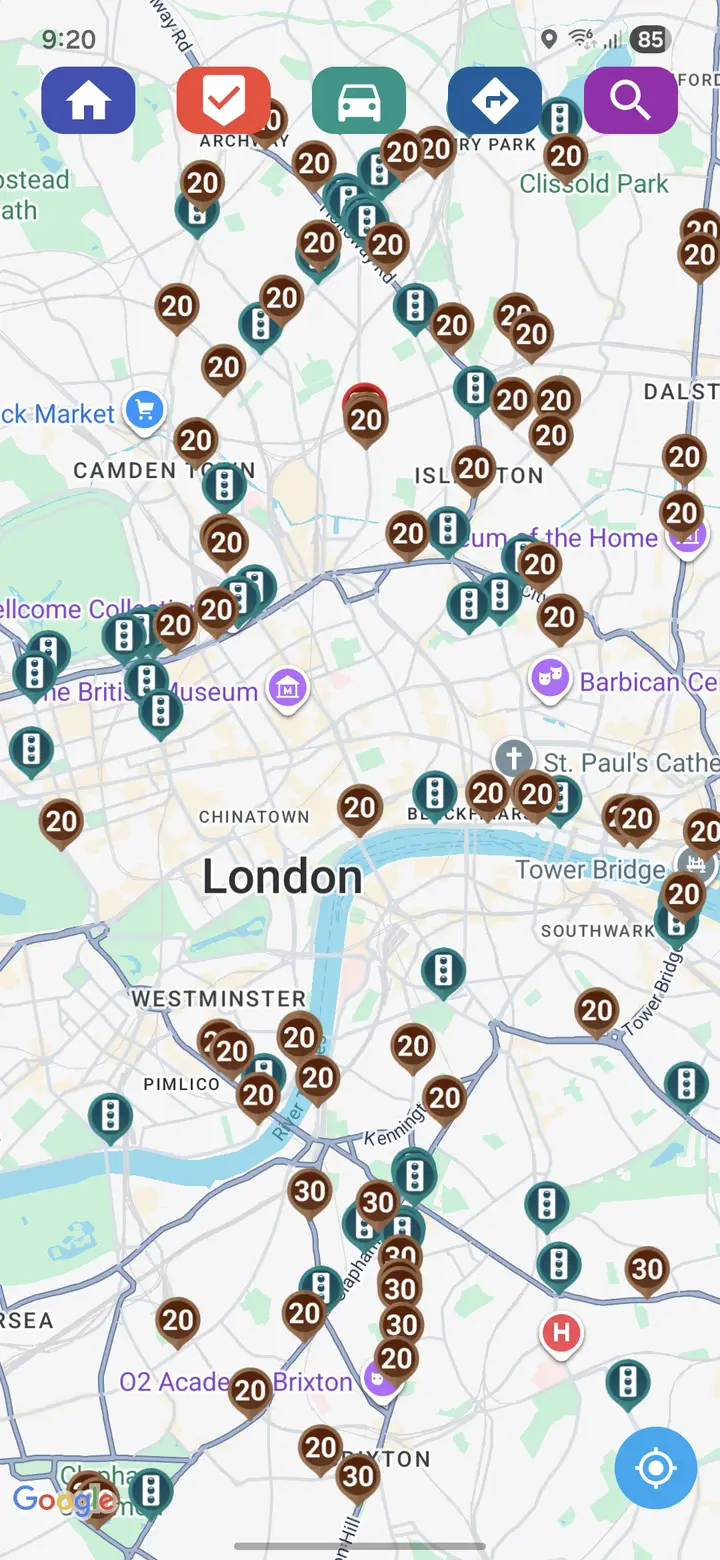
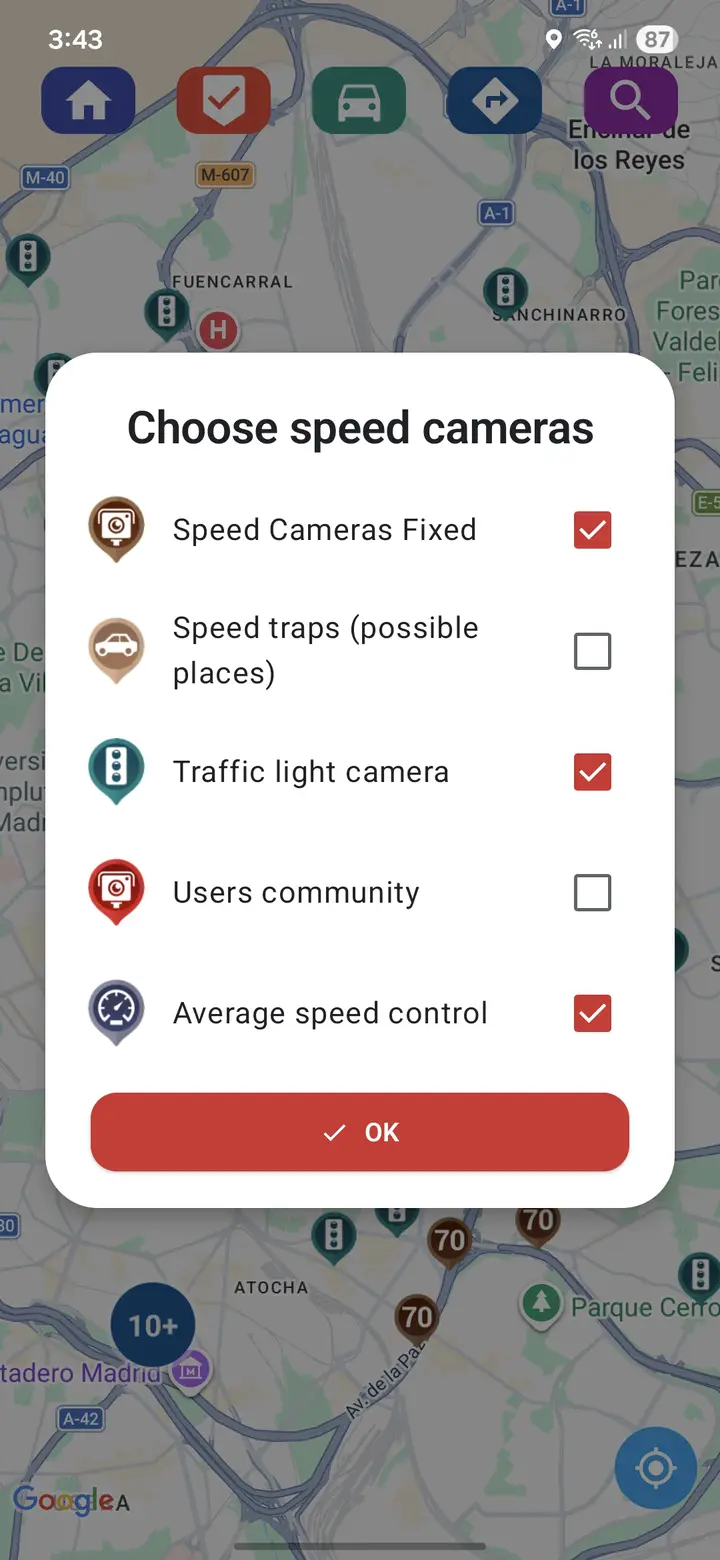
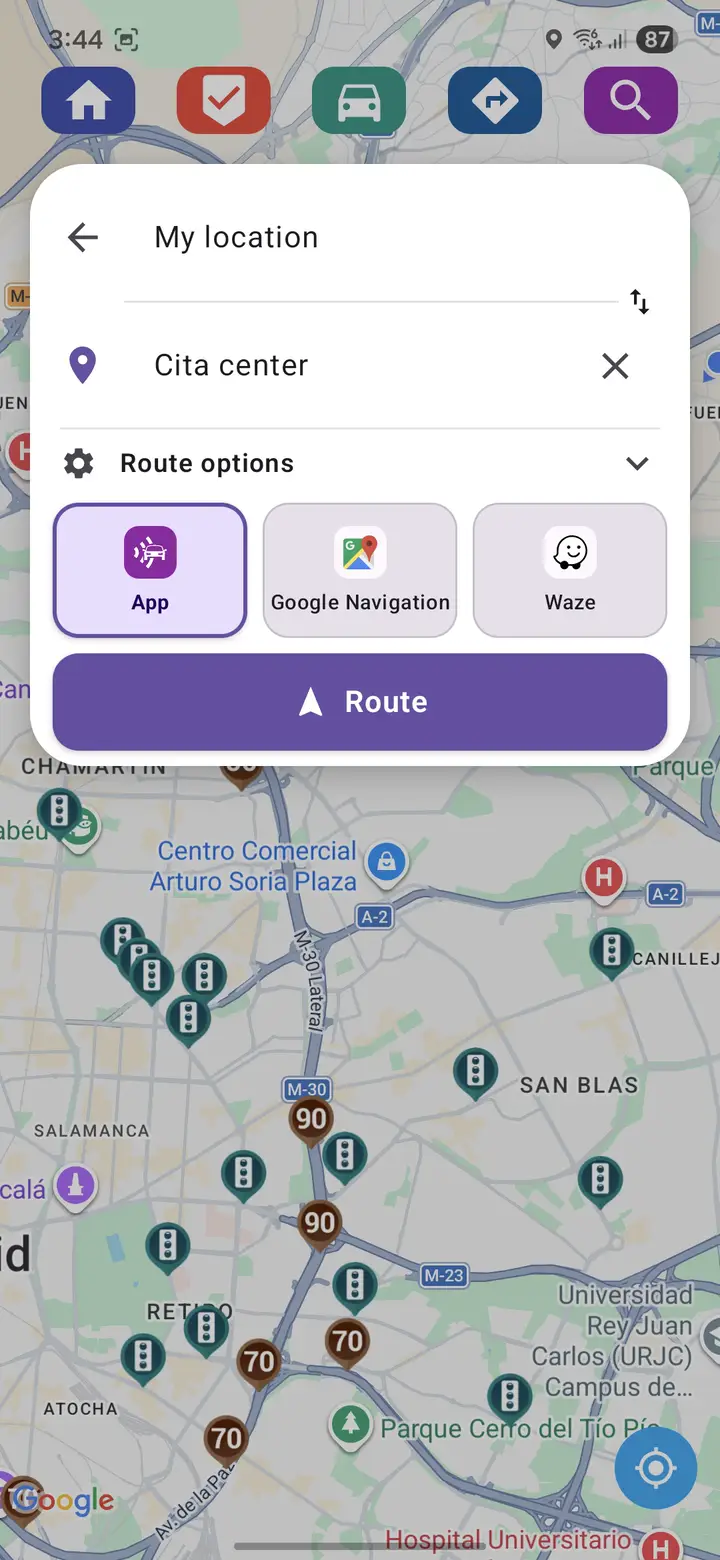
More screens, and the image policy that governs them, are on the gallery page.
Safe setup
Configure the app while parked. Keep interaction to a minimum, prefer audio cues, and follow signs, temporary limits and instructions from police. Grant location access while you are stationary and understand what you are granting: an app of this kind needs position data to be useful, and how each platform handles that is described in the store listing and in the app's own privacy information.
A few practical points make the difference between a helpful setup and a distracting one. Connect power on longer journeys, because continuous location use is demanding on a battery. Download any map data you need before setting off, so nothing prompts you mid-route. Set the alert volume where you can hear it over road noise without reaching for the phone. And decide the warning distance before you drive: alerts that arrive too late to act on calmly are worse than none.
The full reasoning, and the UK law on holding a device while driving, is on the alerts and distraction page.
Support and privacy
Support for the application itself goes through the route shown in the relevant store listing, not through this site — the contact page explains which channel handles what. The privacy notice here covers this website only; the applications are separate products with their own notices, published with their store listings.